"Real-time AI workflows you can export and run anywhere." That’s what Kemu says. But let’s look past the marketing and find out what it actually does.
You’ve probably seen those Wispr flow-style apps that record your voice and paste text wherever your cursor is. They’re cool, but they usually mean monthly fees, too many features, and no control. What if you could build your own instead? No compromises, no middleman, and you can change the AI whenever you want.
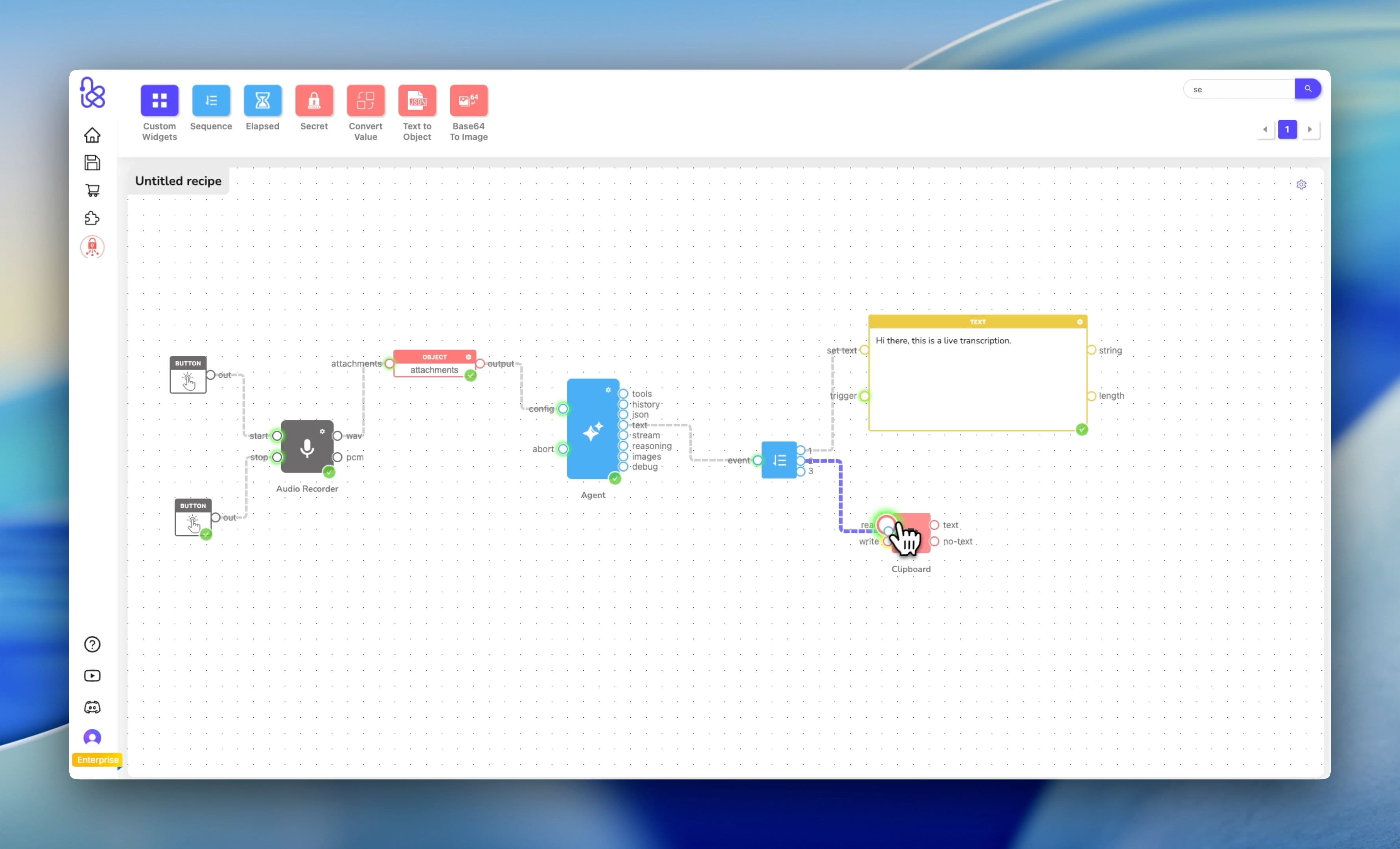
Turns out you can. Here's how I threw together a custom transcription engine in Kemu that records audio, runs it through Google's Gemini 2.0 Flash Lite, and dumps the text straight into my clipboard. And yeah, the whole thing took about 120 seconds.
From Zero to Working App
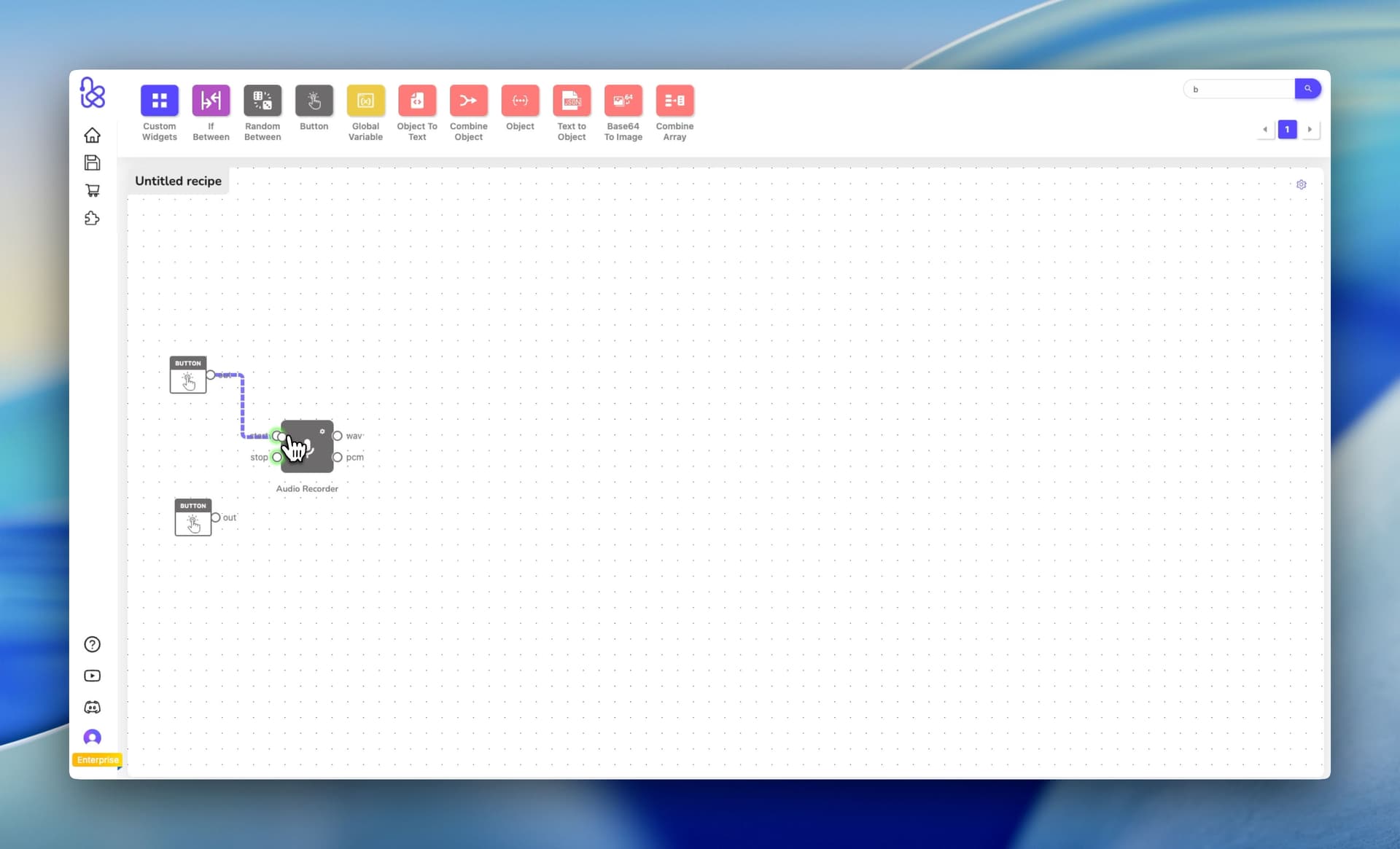
1. Grab an Audio Recorder
First things first: I dragged an Audio Recorder node onto the canvas. To actually control it, I added two simple button triggers: one to Start recording and another to Stop. That's it. Kemu lets you wire up anything as an input (buttons, hotkeys, webhooks, whatever). But buttons are the easiest place to start.
2. Hook Up Gemini 2.0
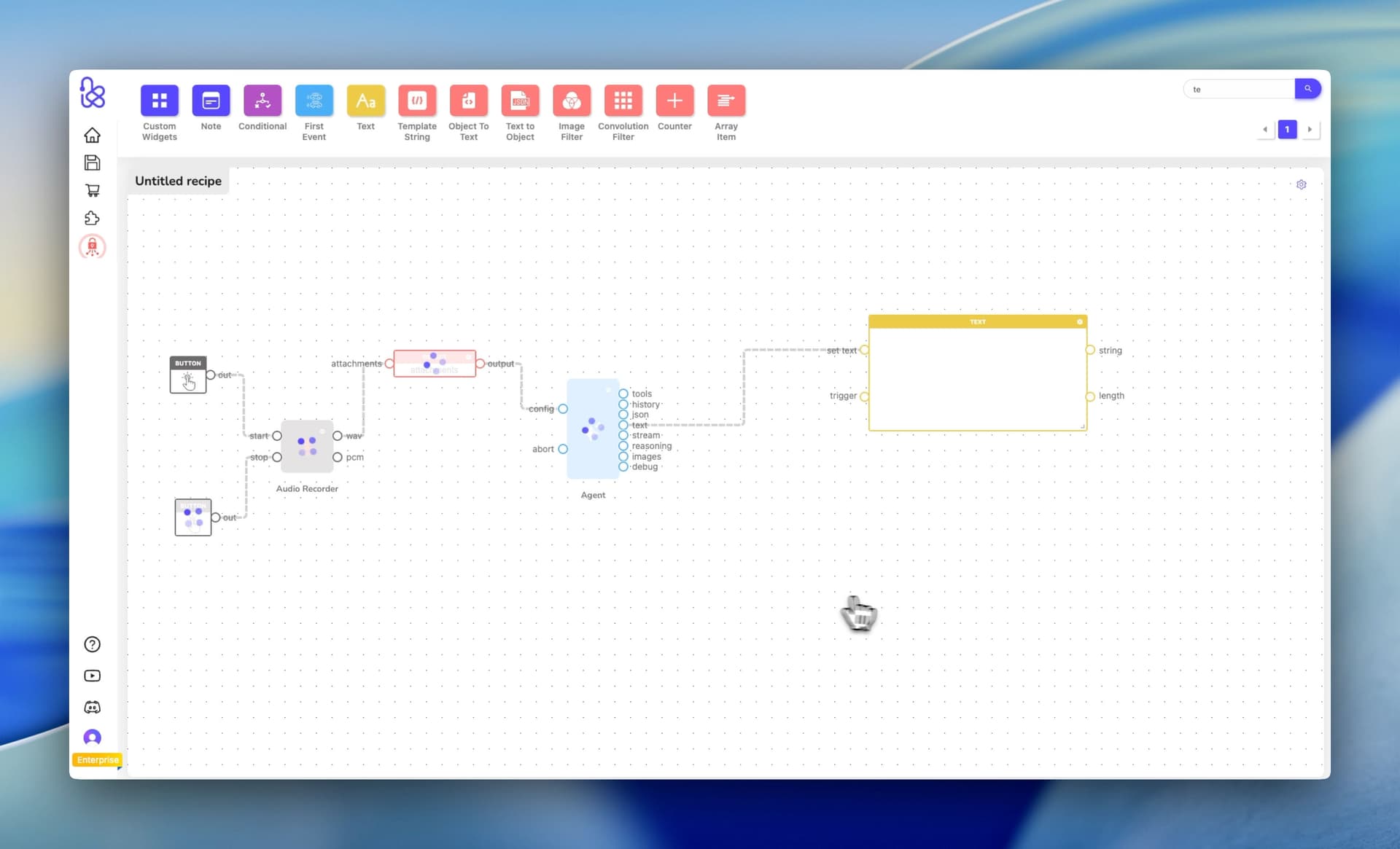
Here's where Kemu gets interesting. I dropped in an Agent node (not some locked-down proprietary model, but actual Google Gemini 2.0 Flash Lite). I picked it because it's fast and cheap on latency, which matters when you're trying to transcribe in real-time.
The key is giving it dead-simple system instructions so it doesn't try to get creative:
"Transcribe any provided audio into text only. Do not add commentary, labels, metadata, or explanations... limit yourself to transcribing audio only."
We’re basically telling the agent the minimum it needs to avoid commentary (especially useful if the model you choose tends to be chatty).

3. Connect the Ports
Audio comes out as an WAV file, which Kemu treats as a BinaryFile type, so we pass it to the AI Agent as an attachment. For this, we use an ’Object’ widget which creates an object with an ‘attachments’ property, and we store the wav file there before feeding it into the AI Agent. I also tossed a Text widget onto the canvas (not strictly necessary, but it's nice to see the transcription appear in real-time while you're debugging).
4. Send It to the Clipboard
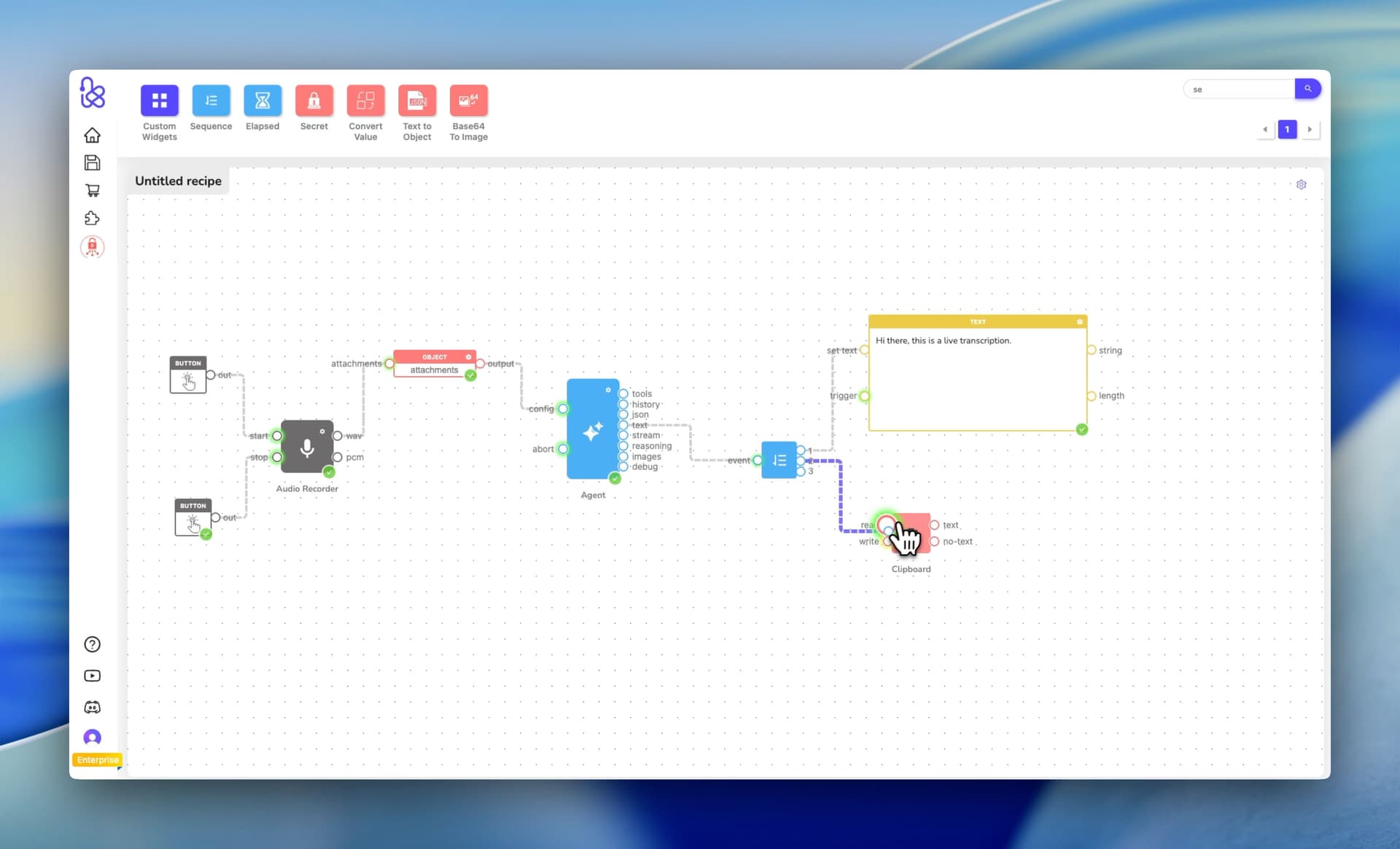
The final piece: a Clipboard widget from Hub Services panel. I set it up so that the moment the Agent spits out text, it feeds it into the "Write" port of the Clipboard widget which adds it to the system’s clipboard. No manual copying, no extra steps: just speak, stop, and paste.
The Real-World Test
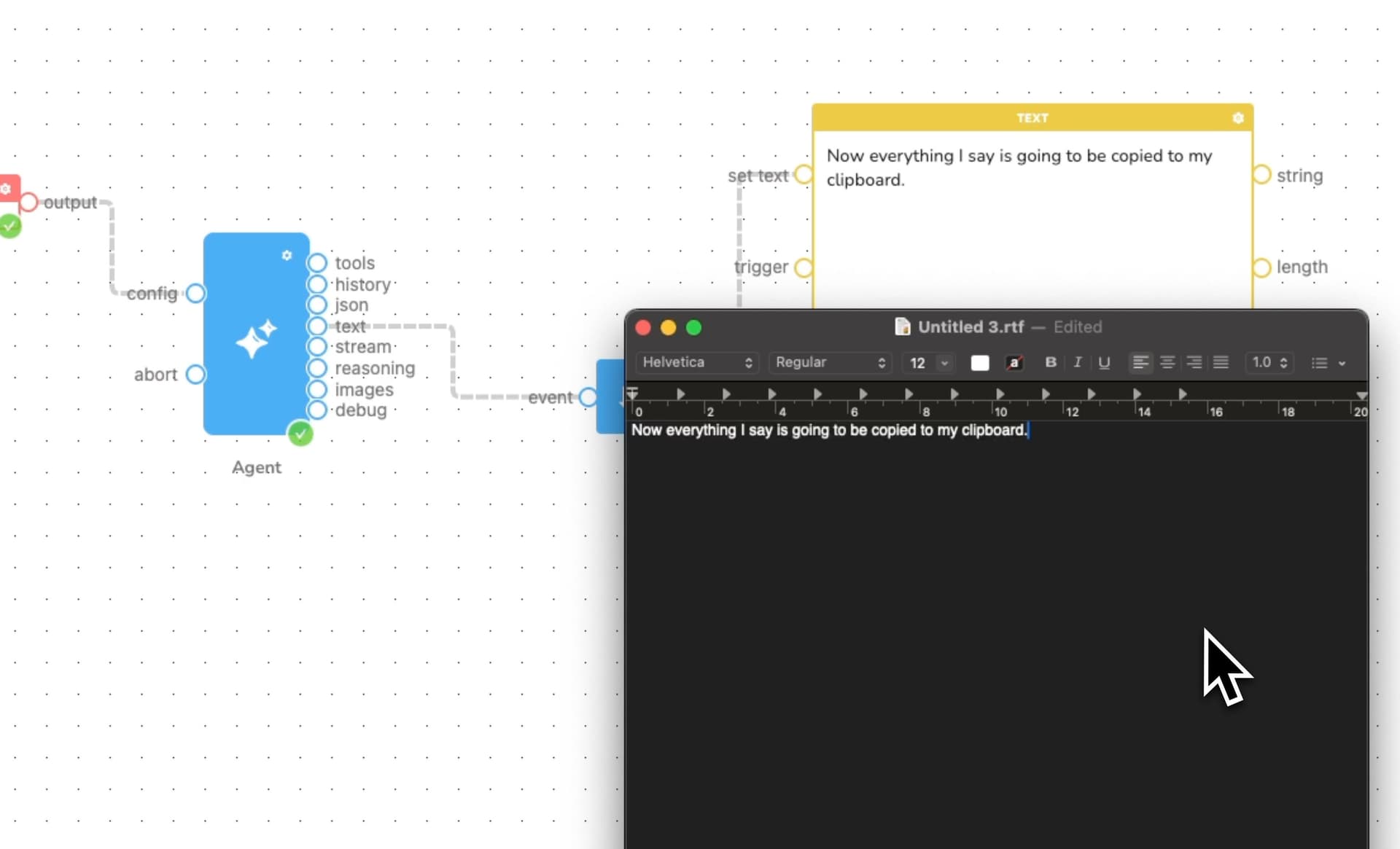
Hit "Start," ramble into the mic for a bit, hit "Stop." By the time I switch to my text editor, the transcription is already on my clipboard. I paste, and there's my speech: word for word, no extra cruft. "Now everything I say is going to be copied to my clipboard." Simple as that.
Why Bother Building When You Could Just Buy Something?
Because you own this. That means you can mess with it, extend it, create complex workflows that trigger other actions based on what you speak into the mic.
-
Hate clicking buttons? Swap the "Start" button for a Global Hotkey trigger. Now you've got a background dictation tool that launches with a keystroke from any app.
-
Want more than just text? Branch the workflow. Send the raw transcription to your clipboard, but also ping a second Agent to pull out action items or generate a summary, then dump those into a Notion page automatically.
-
Working in multiple languages? Slot in a translation step before the clipboard. Spanish, Japanese, whatever: it's just another node.
It Runs Wherever You Want
Kemu's whole pitch is portability, and they mean it. Once your workflow is dialed in, you export it. It's not trapped in a browser tab: you can run it as a standalone tool that actually integrates with your machine.
See It In Action
Ready to stop paying for features you don't need? Get started now.
Ready to get started with Kemu?
Build your own computer vision solutions without writing code. Start creating powerful ML and machine vision pipelines today.